How To Get Better At Problem Solving?
Think Before You Act
The short answer to the question is ‘Think before you act’. It is a common enough saying. It’s easy to say ‘Think of as many solutions as possible and you will be good at problem solving’. But then the question is how does one think better or of as many solutions as possible?
Obviously, knowledge is the answer. You need to have knowledge of the problem space, the tools and techniques that are available to you. The more knowledge you have going into a situation the better you can think. To make sure you have more knowledge going in, decouple work from learning. You shouldn’t wait for work to come your way, start learning proactively, because by avoiding or delaying learning, you are stunting the growth of your problem solving skills. Your tenure at your job might be increasing but your skills are not, and people’s expectations of you are increasing but you are not equipped to meet them.
The Awareness-Understanding Matrix
| Aware | Unaware | |
|---|---|---|
| Understand | Known knowns | Unknown knowns |
| Don’t Understand | Known unknowns | Unknown unknowns |
The matrix is pretty self explanatory except “unknown knowns”, these are the things you don’t know you know, like biases or “gut feelings”, which is a bit of a philosophical concept, but I digress.
For problem solving, if the problem lies in the “known knowns” bucket it means you can go forward with execution right away. If it lies in “known unknowns” that means you have a starting point for your research and you can work on converting “known unknowns” into “known knowns” and driving to a solution.
Broadening Your Horizons
Learning opens the door to more possible learning. You always learn about what to learn next when learning something. Known unknowns become known knowns, unknown unknowns become known unknowns.
Here is that acquisition of knowledge illustrated.

In my experience newsletters, blog articles, and some subreddits are a good way to learn about unknown unknowns, making them known unknowns. Here are some recomendations.
Decoupling Learning And Work: Get To X As Fast As Possible
Let’s say you are tasked with getting to X as fast as possible. In this example knowledge is vision.
Scenario 1
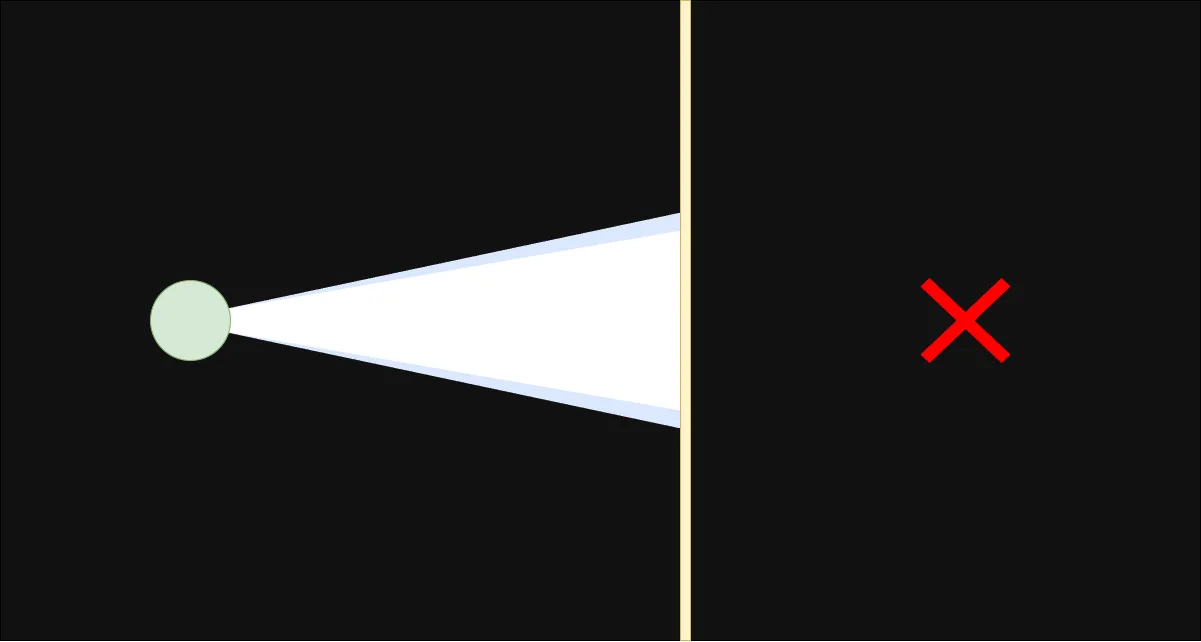
You know X lies in front of you behind a wall. As you are in a hurry you run ahead without thinking, and start attacking the wall. Soon enough the wall breaks and you go on to X.
Scenario 2
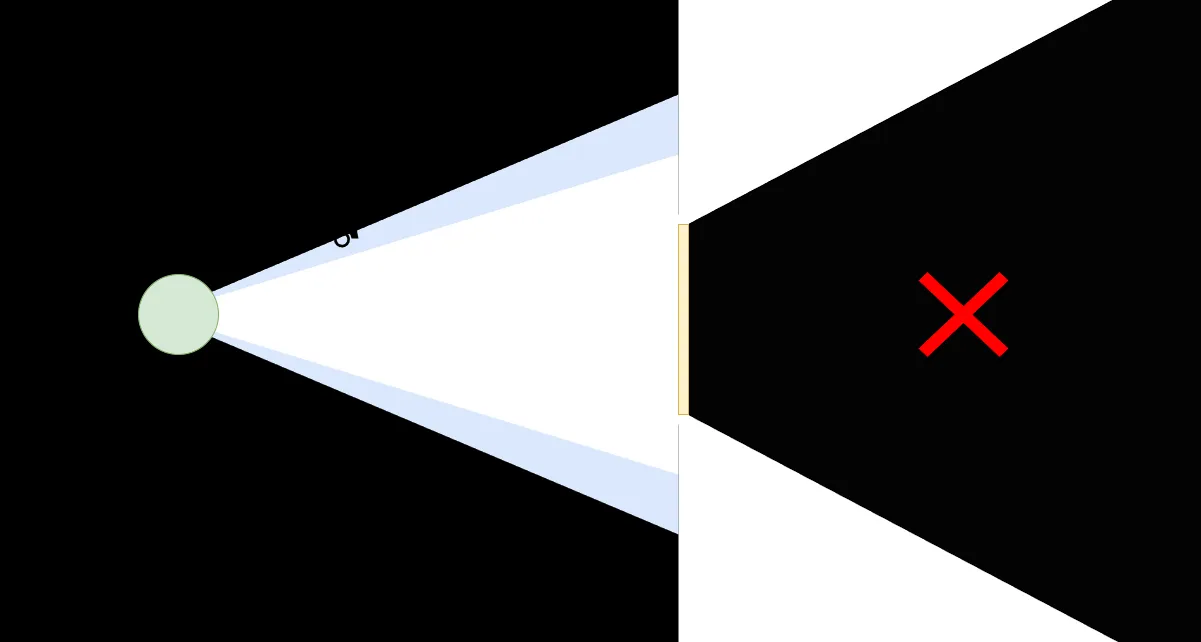
Let’s say you have a broader vision (more knowledge) at the onset of your task. You know the wall isn’t infinite, you can go to X by going around it. You also have some peripheral vision, this represents your “known unknowns”. You can see a tire in your peripheral vision, if you look around more (research), you realize that there is a car available. You can use the car to drive to X, which would be faster than walking.
Scenario 3
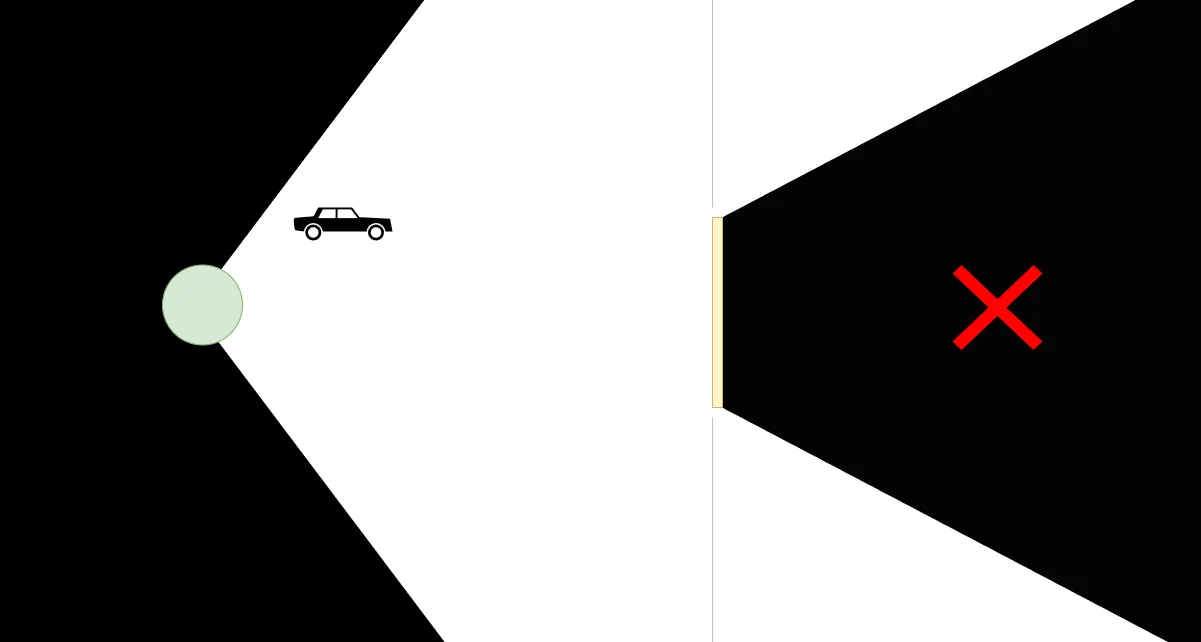
Your vision includes the car at your starting point you simply walk to the car and drive to X.
In scenario 1, rather than running and attacking the wall, another approach could have been to think and learn (look around) to get to the solution from scenario 3. By decoupling learning from work, you have a higher chance of doing your job faster if you know things or know of things like in scenario 2 and 3.
You Are Not The First To Do It: Creating A Picklist With Different Labels And Values
There are some parts of working with Salesforce that are a bit tedious and annoying. Creating picklists(dropdowns) that have different labels and API names is one of them. Let’s say I wanted to add the data from this sheet into a picklist field.
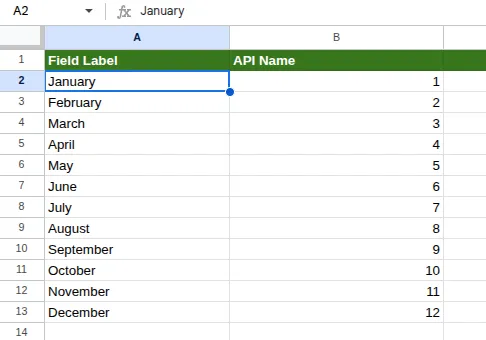
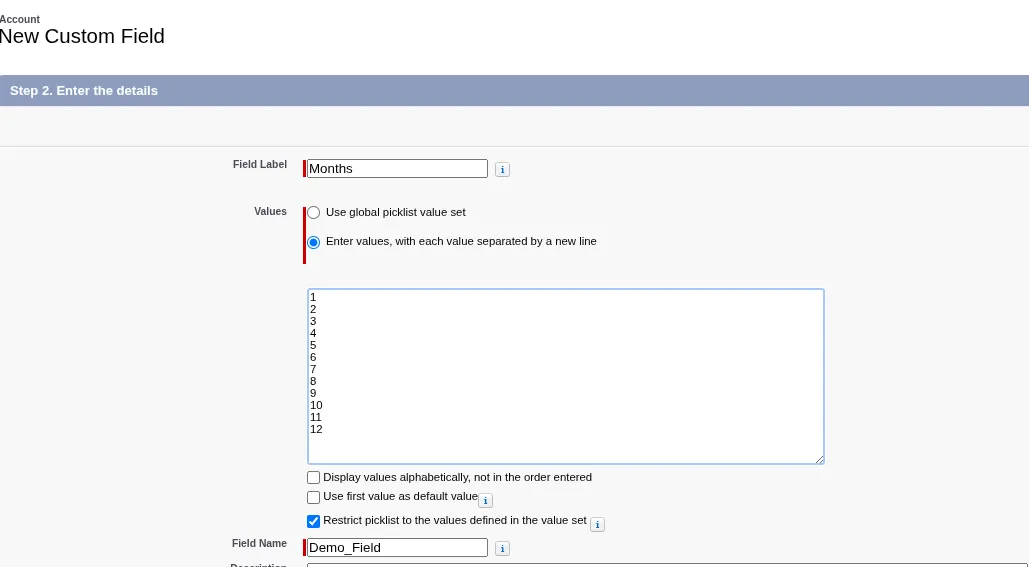
When creating a picklist field through the Salesforce UI, there is only one textbox, each line is a value that is used for both the API name and Label. I paste in the API Names when creating the picklist.

Then to update each value’s label I would have had to click edit on each field and edit labels individually.

I found a better way in VS Code, I pulled in the fields XML(Meta data), I copied all the columns from the sheet, then in VS Code I highlighted the label tag (with indentation so I didn’t capture the field label as well), pressed CTRL + SHIFT + L to create cursors on all field labels and pasted in the labels. It turns out if the number of lines copied equals to the number of cursors VS Code, VS Code places each line of copied text on each cursor location.
When I did this the first time, I didn’t know it was possible. It was an unknown unknown. I could have just done it the obvious way through the UI. But before acting I had to think, here is the train of thought that led me to this learning:
- This will take a stupid amount of time/effort. There must be a better way.
- Wouldn’t it be cool if…?
- Other people must have thought what I am thinking now.
- People must have asked questions and offered solutions online.
Bonus: Taskmaster
Taskmaster is one of my favourite TV shows. In it 5 comedians are given the same tasks, each of them are filmed separately and approaches the tasks in a different way. Since it is a comedy show they are going for laughs and not everyone cares about winning. But it is interesting to see how different people solve the same task differently by thinking differently.
Here is the “Throw a Teabag into a Mug” task from the first season of the show. The segment tarts at 6:45 end at 16:45.